Amazon · EPUB 3
Convert PDF to EPUB 3 for Kindle Scribe (3rd gen, 2025)
Kindle does not read EPUB from USB, so upub gives you a valid EPUB 3 to push through Send to Kindle (or an AZW3 for sideloading).
Same book, same conversion
A fixed scan on the left. Text that reflows on the right.
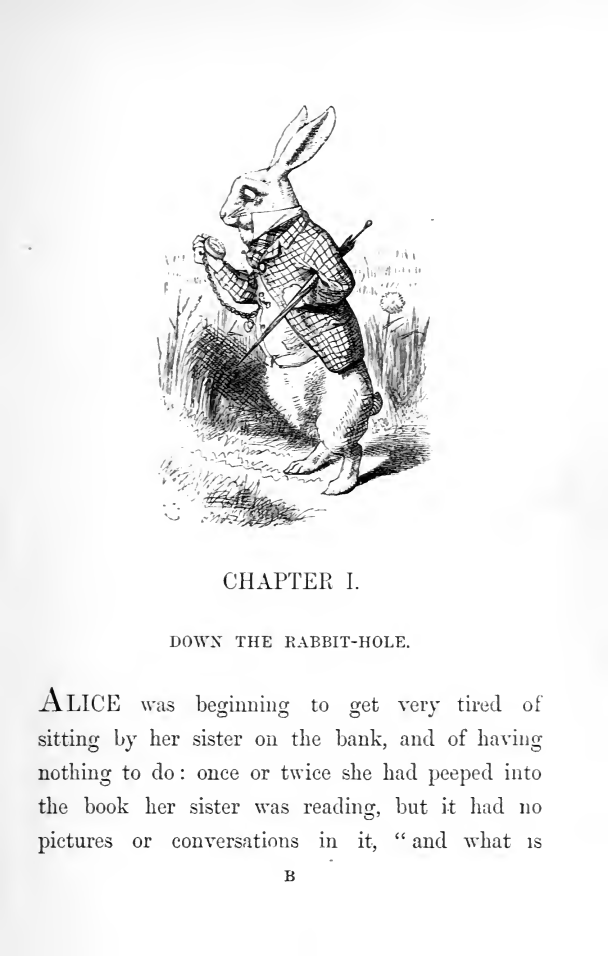
CHAPTER I.
DOWN THE RABBIT-HOLE.
ALICE was beginning to get very tired of sitting by her sister on the bank, and of having nothing to do: once or twice she had peeped into the book her sister was reading, but it had no pictures or conversations in it, “ and what is the use of a book,” thought Alice, “without pictures or conversations?”
So she was considering in her own mind, (as well as she could, for the hot day made her feel very sleepy and stupid,) whether the pleasure of making a daisy-chain would be worth the trouble of getting up and picking the daisies, when suddenly a White Rabbit with pink eyes ran close by her.
There was nothing so very remarkable in that; nor did Alice think it so very much out of the way to hear the Rabbit say to itself, “Oh dear! Oh dear! I shall be too late!” (when she thought it over afterwards, it occurred to her that she ought to have wondered at this, but at the time it all seemed quite natural;) but when the Rabbit actually took a watch out of its waistcoat-pocket, and looked at it, and then hurried on, Alice started to her feet, for it flashed across her mind that she had never before seen a rabbit with either a waistcoat-pocket, or a watch to take out of it, and,
Why a scanned PDF reads badly on the Kindle Scribe (3rd gen, 2025)
Kindle opens a PDF as fixed pages: the font size slider does nothing and small print stays small. Send to Kindle can convert a PDF that already has a text layer, but a scan is a stack of page pictures, so there is no text for it to reflow. upub reads the pictures first and hands Kindle real text.
Read the full guide: Can Kindle read PDF? Yes, but not scanned ones. Here is the fixInside the file you download
Not a text dump. A book your reader knows what to do with.
32 navigable entries in the table of contents
The file carries both an EPUB 3 nav.xhtml and a legacy toc.ncx, so the chapter menu works on new and old readers alike — not one long scroll of text.
39 headings kept as headings
Chapter and section titles come out as real h1–h6 elements, not as bold paragraphs. That is what lets a reader jump between sections and what screen readers announce.
154 printed page numbers preserved
Every page boundary of the print edition is marked as a pagebreak and listed in the EPUB page-list. You can still cite a page of the original book from the reflowed text.
1 tables kept as real tables
Tables come out as XHTML table markup, so cells stay aligned when the font size changes — not as a preformatted block that overflows the screen.
Passes EPUBCheck with zero errors
Validated with the W3C reference validator. It is the same check Kobo, Apple Books and Google Play Books run when they ingest a file — a file that fails it can be rejected or render unpredictably.
What the profile changes
upub sizes the output to the Kindle Scribe (3rd gen, 2025), not to a generic e-reader.
| Screen | 11" · 1980×2640 px · 300 ppi · monochrome E Ink |
|---|---|
| Output | EPUB 3 |
| Image ceiling | 1980×2640 px — figures are never larger than the screen, so the file stays small and pages turn fast |
| Typography | --side-margin: 8% · --line-height: 1.6 · --font-base: 1em |
Measured, not claimed
This exact sample, end to end.
We ran all 214 scanned pages of Alice's Adventures in Wonderland (London: Macmillan, 1872) through upub with the Kindle Scribe (3rd gen, 2025) profile. Every number below comes from that run.
- Pages
- 214
- Wall time
- 7 min
- EPUBCheck
- valid
- Two-model agreement
- 96%
A scan has no text layer to verify OCR against, so the first pages were read a second time by a different model and the two transcripts compared. The 8 pages upub flags in that sample are the binding cover, the blank leaves and the full-page Tenniel plate — pages with no text to read — flagged rather than filled in with invented text. Source scan: Internet Archive (not in copyright). archive.org/details/alicesadventures00carruoft