Kobo · KEPUB
为 Kobo Nia 把 PDF 转为 KEPUB
upub 会生成真正的 .kepub.epub——通过 USB 或 Dropbox 拷入即可,Kobo 的阅读统计、快速翻页和脚注弹窗都能用。普通 EPUB 同样可以打开。
同一本书,同一次转换
左边是固定的扫描页。右边是会重排的文字。
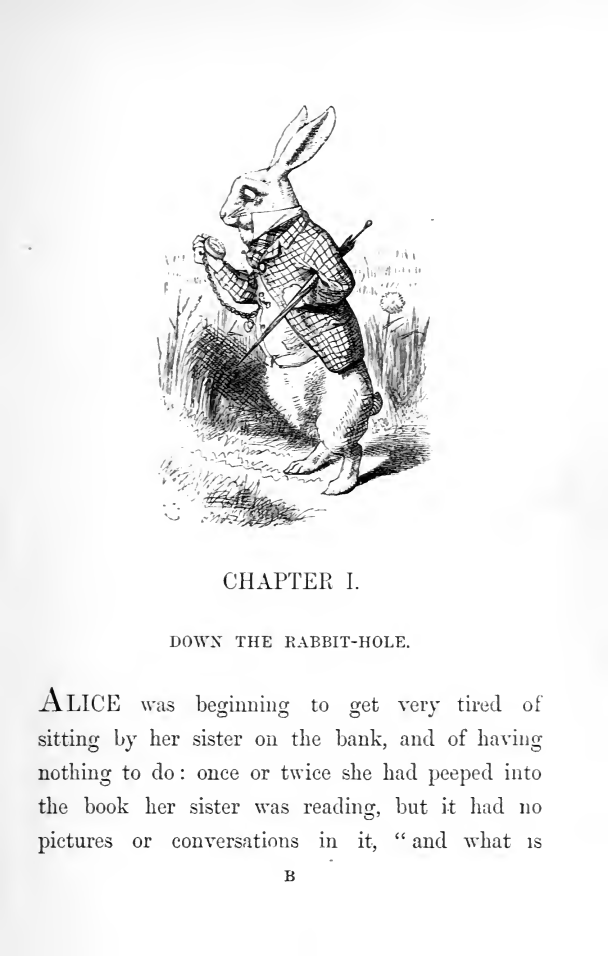
CHAPTER I.
DOWN THE RABBIT-HOLE.
ALICE was beginning to get very tired of sitting by her sister on the bank, and of having nothing to do: once or twice she had peeped into the book her sister was reading, but it had no pictures or conversations in it, “ and what is the use of a book,” thought Alice, “without pictures or conversations?”
So she was considering in her own mind, (as well as she could, for the hot day made her feel very sleepy and stupid,) whether the pleasure of making a daisy-chain would be worth the trouble of getting up and picking the daisies, when suddenly a White Rabbit with pink eyes ran close by her.
There was nothing so very remarkable in that; nor did Alice think it so very much out of the way to hear the Rabbit say to itself, “Oh dear! Oh dear! I shall be too late!” (when she thought it over afterwards, it occurred to her that she ought to have wondered at this, but at the time it all seemed quite natural;) but when the Rabbit actually took a watch out of its waistcoat-pocket, and looked at it, and then hurried on, Alice started to her feet, for it flashed across her mind that she had never before seen a rabbit with either a waistcoat-pocket, or a watch to take out of it, and,
为什么扫描版 PDF 在 Kobo Nia 上读起来很吃力
Kobo 把 PDF 显示为固定页面,需要放大和拖动。扫描版 PDF 里根本没有文字,阅读器无法重排、无法搜索,也无法查词。upub 把扫描件转成 KEPUB,正文、章节菜单和词典都能正常使用。
你下载的文件里有什么
不是一堆文字,而是一本阅读器认得的书。
目录中有 32 个可跳转条目
文件同时包含 EPUB 3 的 nav.xhtml 与旧版 toc.ncx,因此章节菜单在新旧阅读器上都能用,而不是一长条正文。
39 个标题仍是标题
章节标题输出为真正的 h1–h6 元素,而不是加粗段落。正因如此才能在章节之间跳转,屏幕阅读器也才能朗读层级。
保留了 154 个纸质版页码
纸质版的每个分页处都标记为 pagebreak 并写入 EPUB 的 page-list。即使文字已重排,你仍然可以引用原书的页码。
为 Kobo 生成 1890 处句级标记
KEPUB 用 koboSpan 标记每一句。Kobo 的阅读统计、剩余时间估算、快速翻页和脚注弹窗都依赖它——把普通 EPUB 改名成 .kepub.epub 无法实现任何一项。
1 个表格仍是真正的表格
表格输出为 XHTML 的 table 标记,字号变化时单元格依然对齐,而不是撑出屏幕的预格式化文本块。
通过 EPUBCheck,零错误
使用 W3C 官方校验器验证。Kobo、Apple Books 和 Google Play Books 收到文件时运行的正是同一项检查——未通过的文件可能被拒绝或显示异常。
设备配置改变了什么
upub 按 Kobo Nia 的尺寸生成文件,而不是按通用阅读器。
| 屏幕 | 6" · 758×1024 px · 212 ppi · 黑白电子墨水 |
|---|---|
| 输出 | KEPUB |
| 图片上限 | 758×1024 像素——插图永远不会超过屏幕尺寸,文件因此保持小巧、翻页更快 |
| 排版 | --side-margin: 3% · --line-height: 1.4 · --font-base: 1.05em |
实测,而非声称
就是这一个样例,从头到尾。
我们用 Kobo Nia 配置,把《Alice's Adventures in Wonderland》(London: Macmillan,1872)全部 214 页扫描件跑过了一遍 upub。下面每个数字都来自那次运行。
- 页数
- 214
- 耗时
- 7 分钟
- EPUBCheck
- 有效
- 双模型一致度
- 96%
扫描件没有可用于核对 OCR 的文本层,因此前 页由另一个模型再读了一遍,并比对了两份转录结果。 upub 在该样本中标记的 8 页是:the binding cover, the blank leaves and the full-page Tenniel plate — pages with no text to read——标记出来,而不是用编造的文字填上。 扫描来源:Internet Archive(not in copyright)。 archive.org/details/alicesadventures00carruoft